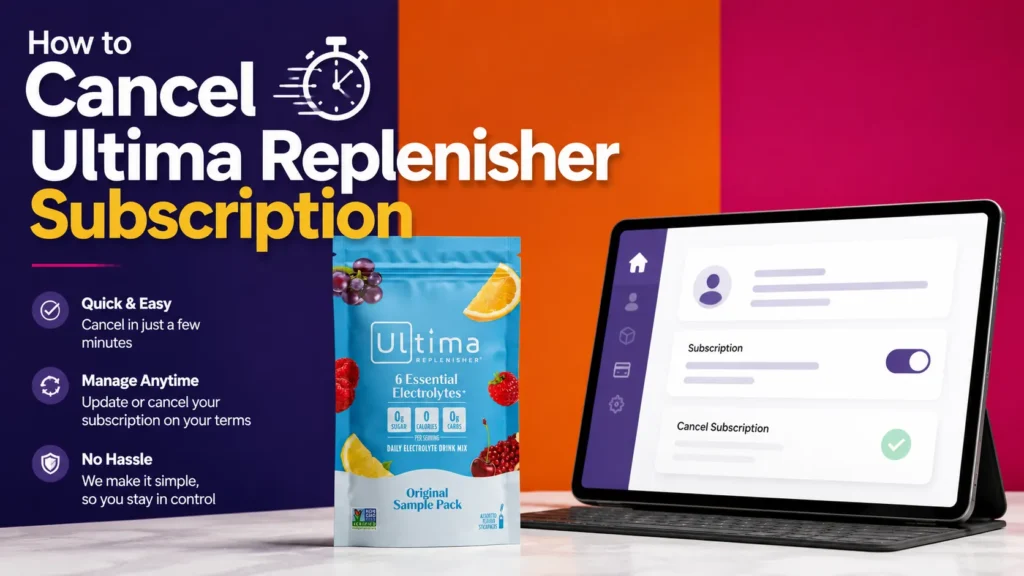
To cancel an Ultima Replenisher subscription, sign in to the subscription portal, open the relevant plan, and choose the available cancellation option. The company may also offer assistance through its contact form or customer-service channels. Submit the request before the next order processes, then save the cancellation confirmation in case another charge appears.
Table of Contents
If you subscribed through Amazon instead of the official Ultima site, you’ll need to cancel it from your Amazon account, not Ultima’s website. We’ll cover every scenario below, including what to do if you forgot your Ultima Replenisher login or just want to manage an Ultima Replenisher Sample Pack order.
Why People Search for This (And What You’ll Learn)
Subscription hydration products are convenient until your schedule changes, your pantry fills up, or you simply want to try a different brand. Ultima Replenisher’s Subscribe & Save program is genuinely easy to use once you know where to click, but the process isn’t always obvious on a first visit.
This guide walks through every cancellation path Ultima Replenisher currently offers, based on information published directly on the company’s own website and product listings. We’ll also answer the practical side questions people ask alongside cancellation, like how to reach Ultima Replenisher customer service, how to recover your Ultima Replenisher login, and how the Ultima Replenisher Sample Pack fits into the subscription system.
Method 1: How to Cancel Ultima Replenisher Subscription Online

The fastest and most reliable way to cancel Ultima Replenisher subscription online is through the self-service account dashboard. Ultima runs its store on Shopify’s subscription infrastructure, which gives every account holder direct control over active subscriptions without needing to contact anyone.
Here’s the step-by-step process:
- Go to ultimareplenisher.com and click My Account, or navigate directly to the account login page.
- Sign in using the email address and password you created at checkout.
- Once inside your dashboard, find the Manage Subscriptions or Subscriptions tab.
- Select the active subscription you want to stop.
- Click Cancel Subscription and confirm the action when prompted.
- Check your email for a confirmation message verifying the cancellation.
This entire process typically takes two to five minutes. According to Ultima’s published Subscription FAQs, there is no long-term commitment attached to Subscribe & Save, and customers can cancel at any time without a penalty fee.
Method 2: Cancel Through the SMS Text Reminder System
Ultima also offers subscription management by text message for customers who opt in. Before each scheduled shipment, you receive an automated SMS letting you know your next order is coming up, along with a prompt to reply if you want to make changes.
If you’re enrolled in this system, replying to that text with the word ‘Modify Order’ or a similar keyword brings up a menu of options, which typically includes skipping, rescheduling, or canceling the upcoming shipment. This is arguably the most convenient option if you’re already on your phone and don’t want to log into a browser.
Keep in mind that SMS reminders only appear if you opted into text notifications when you subscribed. If you never signed up for texts, this option won’t be available, and you’ll need to use the account portal or contact customer service instead.
Method 3: Cancel by Phone or Contact Form
Some shoppers check out as a guest, use Shop Pay, or simply prefer speaking with a real person. In those cases, reaching Ultima Replenisher customer service directly is the most dependable route.
You can call Ultima Health Products at 888-663-8584, Monday through Friday, 9 a.m. to 5 p.m. Eastern Time. If you’re contacting them outside business hours, use the online contact form or the chat icon on their site, and a representative will respond during the next business day.
When you reach out, have your order number or the email address linked to your account ready. This speeds up verification and lets the representative locate your subscription without back-and-forth.
Comparing All Ultima Replenisher Cancellation Methods
Not every method works for every customer, since it depends on how you originally checked out. Here’s a side-by-side breakdown to help you pick the fastest option for your situation.
| Cancellation Method | Where to Do It | Typical Time Needed | Best For |
| Self-service account portal | ultimareplenisher.com/account | 2-5 minutes | Anyone who checked out with an email/password account |
| SMS text reply | Reply to the automated order-reminder text | Under 1 minute | Subscribers enrolled in SMS order management |
| Phone call | 888-663-8584 (Mon-Fri, 9am-5pm ET) | 5-15 minutes, business hours only | Shoppers who checked out as a guest or via Shop Pay |
| Contact form / live chat | ultimareplenisher.com/pages/support | Reply within 1 business day | After-hours requests or account access issues |
| Amazon Subscribe & Save | Your Amazon account, not Ultima’s site | 2-3 minutes | Anyone who ordered through Amazon |
If you’re weighing whether a subscription electrolyte brand is even worth keeping, it’s also worth comparing formulas side by side. Our breakdown of Ultima vs LMNT: Which Electrolyte Powder Is Actually Right for You? walks through sodium and potassium differences that might explain why you’re reconsidering your current plan.
What Happens After You Cancel
Canceling an Ultima Replenisher subscription does a few specific things, and it’s worth knowing what it does not do.
- Stops all future scheduled orders and charges immediately.
- Keeps your account, login credentials, and order history intact.
- Preserves any Rewards points you’ve earned, since points and subscriptions are separate systems.
- Does not cancel or refund an order that has already entered processing or shipped.
- Does not delete your Ultima Replenisher login or personal account data.
If you want your account fully closed rather than just the subscription paused, you’ll need to submit a separate request through customer service, since account deletion and subscription cancellation are handled differently on most Shopify-based stores.
How to Cancel an Ultima Replenisher Sample Pack Subscription

The Ultima Replenisher Sample Pack, sometimes called the Original Starter Pack, is a smaller trial-size stickpack bundle meant for testing flavors before committing to a full-size order. It runs through the exact same subscription backend as every other product, so canceling it follows identical steps.
The only real difference between the Sample Pack and a full-size subscription is serving count and price per serving, not the cancellation mechanics. Here’s how the two stack up:
| Feature | Ultima Replenisher Sample Pack | Full-Size Subscription |
| What you get | 6-serving stickpack trial pack with a few classic flavors | 20-serving stickpacks, 30-serving, or 90-serving canisters |
| Listed price | $7.99 ($1.33 per serving) | $20.99 for most 20-count stickpacks ($1.05 per serving) |
| Subscription discount | Can be added to Subscribe & Save like any other product | 10% off plus free shipping on subscription orders |
| Cancellation process | Identical steps: account portal, phone, or contact form | Identical steps: account portal, phone, or contact form |
| Best use case | Testing flavors before committing to a recurring order | Regular daily hydration once you know your favorite flavor |
If you’re still deciding between hydration brands after testing your sample pack, it helps to see how other subscription-based electrolyte companies handle billing and cancellation too. Our guide on how to cancel a Liquid IV subscription covers a similar Shopify-style setup with a few notable differences in how orders lock in for processing.
Ultima Replenisher Login: Troubleshooting Access Issues
A locked-out Ultima Replenisher login is one of the most common reasons people can’t cancel on their own. The good news is that recovery is straightforward in most cases.
If You Forgot Your Password
- Go to the account login page and click ‘Forgot your password?’
- Enter the email address you used when you subscribed.
- Check your inbox, including spam folders, for a password reset email.
- Create a new password and log back in to manage your subscription.
If You Checked Out as a Guest
Guest checkouts don’t automatically create a password-protected account, which means there may be nothing to log into. In this case, contact Ultima Replenisher customer service directly with your order number, and they can cancel the subscription on their end or help you set up account access.
If Your Email Changed
Subscriptions are tied to the email address used at signup. If you no longer have access to that inbox, customer service will need to verify your identity through order details like your name, shipping address, or the last four digits of your payment method before making changes.
Common Mistakes to Avoid When Canceling

- Waiting until the day of shipment: orders often lock for processing 24 to 48 hours in advance, so cancel earlier if you want to guarantee it’s not too late.
- Assuming Amazon orders cancel through Ultima’s website: they don’t. Amazon subscriptions live entirely inside Amazon’s own account settings.
- Forgetting to check for a confirmation email: always confirm the cancellation went through instead of assuming it worked.
- Mixing up ‘skip’ and ‘cancel’: skipping only pauses the next order, while canceling stops the subscription entirely.
A quick gut check before you cancel for good: if the real issue is just too much product piling up, skipping a cycle or switching to a longer 90-day interval solves that without losing your discount.
Alternatives to Full Cancellation
If price, flavor fatigue, or timing is the real issue rather than the product itself, a full cancellation isn’t always necessary.
- Skip your next order: pauses one shipment while keeping your subscription and 10% discount active.
- Switch flavors: swap products within your subscription instead of walking away from the discount entirely.
- Change your delivery frequency: stretch orders from 30 days to 60 or 90 days if product is piling up.
- Update your payment method: if a failed card is the real problem, fixing billing info avoids an unwanted lapse.
Ultima Replenisher vs. Other Subscription Electrolyte Brands: Cancellation Ease
Since we’re on the subject of subscriptions, it’s worth noting how Ultima compares to a few other well-known electrolyte brands people frequently subscribe to and later want to cancel. This is an editorial comparison based on publicly available information from each brand’s own site, not a guarantee that policies haven’t changed.
DripDrop, for example, uses a similar self-service dashboard, though the exact button placement differs. If you’re managing more than one hydration subscription at once, our DripDrop subscription cancellation guide breaks down that process in the same level of detail as this one.
Just Ingredients follows a slightly different flow that involves confirming cancellation through email in some cases. If you’re comparing that brand’s process side by side, our dedicated walkthrough on canceling a Just Ingredients subscription outlines each click.
Frequently Asked Questions
How do I cancel my Ultima Replenisher subscription online?
Log in at ultimareplenisher.com/account, open your active subscription, and select the cancel option next to your upcoming order. The change applies immediately and no future orders will process.
Can I cancel Ultima Replenisher after my order has already shipped?
No. Once an order enters processing, it ships as scheduled. You can still cancel the subscription itself so no further orders go out, but the current shipment cannot be stopped once it has left the warehouse.
Does canceling my subscription delete my Ultima account?
No. Canceling a subscription only stops future recurring orders. Your account, order history, and rewards points stay active unless you separately request account deletion through customer support.
What is Ultima Replenisher customer service phone number?
You can reach Ultima Replenisher customer service at 888-663-8584, Monday through Friday, 9 a.m. to 5 p.m. Eastern Time.
I forgot my Ultima Replenisher login. How do I get back in?
On the account login page, select ‘Forgot password’ and enter the email you used at checkout. Ultima will send a reset link. If you checked out as a guest, use the contact form instead since you may not have a password-based account.
Can I skip a delivery instead of canceling completely?
Yes. The subscription dashboard includes a skip option for your next scheduled order. This is useful if you simply have too much product on hand and want to pause rather than cancel outright.
Will I get a refund if I cancel my subscription?
Canceling stops future charges but does not automatically refund past orders. If you want to return an unopened product, check Ultima’s refund policy on their website or contact customer service directly.
How do I cancel an Ultima Replenisher Sample Pack subscription specifically?
The Sample Pack follows the same subscription system as every other Ultima product. Log into your account, find the Sample Pack listed under active subscriptions, and cancel it the same way you would any recurring order.
Is there a cancellation fee or minimum commitment?
Ultima states its Subscribe & Save program has no long-term commitment. You can cancel at any time without a penalty fee, according to the official subscription FAQ.
What if I bought Ultima Replenisher through Amazon instead of the official site?
Amazon Subscribe & Save subscriptions are managed entirely inside your Amazon account, not on Ultima’s website. Go to Amazon’s ‘Your Orders’ section, find the subscription, and cancel it there.
The Bottom Line
Canceling your Ultima Replenisher subscription is a genuinely simple process as long as you use the right channel for how you originally signed up. Most customers can finish the job in under five minutes through the account portal at ultimareplenisher.com/account. If you hit a snag with your Ultima Replenisher login or checked out as a guest, a quick call to 888-663-8584 or a message through the contact form will get it sorted.
Whether you’re stepping away from Ultima Replenisher for good or just pausing while you finish a stockpile, the flexibility built into Subscribe & Save means you’re never locked into anything longer than you want to be.
This article contains affiliate links. If you purchase through our links, we may earn a commission at no extra cost to you. We only recommend products we genuinely believe in. Read our Affiliate Disclaimer for full details.