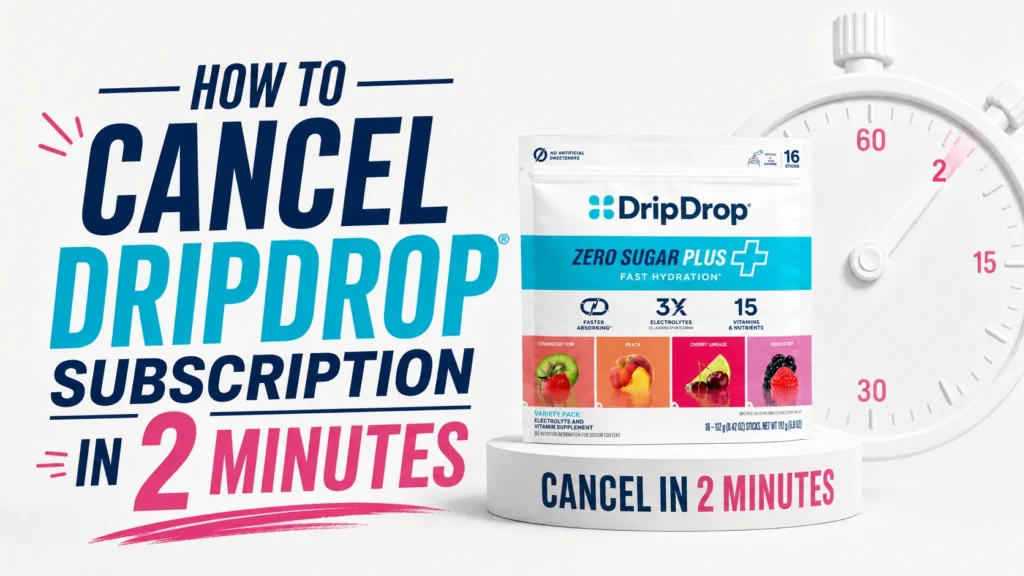
To cancel a DripDrop subscription, sign in to your DripDrop account, open the subscription-management section, select the active plan, and follow the cancellation prompts. Contact the company through its current official support channel if you cannot access the account. Cancel before the next billing date and keep the confirmation message as proof that recurring deliveries were stopped.
Table of Contents
If you searched for how to cancel DripDrop subscription, you likely already have an answer in mind: log in, find Subscriptions, click Cancel. That is genuinely the whole process, and DripDrop confirms it directly in its own FAQ.
There is no phone tree, no retention agent trying to talk you out of it, and no hidden cancellation fee. You can also skip logging in entirely and email the support team instead.
The rest of this guide walks through every step in detail, explains what changes once you cancel, and covers what DripDrop actually contains in case you are deciding whether to switch to a different electrolyte brand afterward.
What Is DripDrop and Who Makes It?
DripDrop is an Oral Rehydration Solution, or ORS, brand developed by Dr. Eduardo Dolhun, a physician who worked on humanitarian aid missions where IV rehydration was not available. That clinical background is part of why DripDrop’s formula leans on sodium-glucose science rather than a typical sports drink recipe.
The company operates as a Public Benefit Corporation, and its products are used by some medical professionals, first responders, and military personnel, according to DripDrop’s own marketing materials. That context matters here because it explains why the original formula is intentionally higher in sodium than many everyday hydration drinks, a detail that shapes both why people subscribe and why some later decide to cancel.
DripDrop sells its product through single 8-ounce sticks, larger 16-ounce packets, and multi-flavor variety packs, available as one-time purchases or through the Subscribe & Save program covered in this guide.
How DripDrop’s Subscribe & Save Program Works

Before canceling, it helps to understand what the subscription actually includes. DripDrop’s Subscribe & Save program applies a 25 percent discount to every automatic order, based on the frequency you choose at checkout.
You get to pick your own delivery schedule, and DripDrop sends a reminder email three days before each shipment so you can make changes if your needs shift. That reminder window is also your easiest opportunity to skip, delay, or cancel before you are charged again.
Creating an account is part of the subscription setup. If you subscribed but never formally created a login, DripDrop’s checkout flow emails you a link to set one up, which you will need for the cancellation steps below.
How to Cancel DripDrop Subscription (Step-by-Step)
Follow these steps to cancel a DripDrop Subscribe & Save plan through your online account.
- Go to the DripDrop account login page at dripdrop.com and click “Account” in the top navigation.
- Sign in with the email address you used for your original subscription order.
- Click “Subscriptions” in the account menu once you are signed in.
- Find the active plan you want to end and select the option to cancel it.
- Confirm the cancellation when prompted. You will not be charged for the next scheduled shipment.
- If you cannot log in or do not see a cancel option, email hello@dripdrop.com and ask the support team to cancel your subscription for you.
DripDrop’s own subscription FAQ confirms this process directly on its official subscriptions page: “You can cancel your subscription at any time. You can login to your account or contact us.”
If you placed your original order as a one-time purchase but later opted into Subscribe & Save, use the same account login. DripDrop links orders by email address, so signing in with the address on file should show your active plan.
What Happens After DripDrop account cancel online
Canceling stops all future automatic shipments and charges tied to that subscription. Your next scheduled order will not go out, and you will not be billed again for it.
Canceling does not affect orders that have already shipped. If a package is already on its way, it will still arrive, and standard return policies apply if you want to send it back.
You keep access to any account history, past order details, and your login, since canceling a subscription does not delete your DripDrop account itself.
Can You Pause Instead of Canceling DripDrop?

Yes. DripDrop allows you to skip a single delivery or push back your next order date without fully canceling the subscription.
This option works well if you have a backlog of product and just want to delay the next shipment rather than end the plan completely. You manage skips and date changes from the same Subscriptions section of your account.
According to DripDrop, changes to an upcoming shipment need to happen at least 24 hours before the scheduled ship date. After that window, the order may already be processing.
What You Lose When You Cancel Subscribe & Save
DripDrop’s Subscribe & Save program includes a 25 percent discount on every automatic order, based on the pricing listed on the brand’s official subscription page.
Canceling removes that discount going forward. If you want DripDrop again later, you can always place a new one-time order or start a fresh subscription at the standard subscriber rate.
Subscribers also get a reminder email three days before each shipment, which disappears once the subscription ends, along with the ability to swap flavors or adjust frequency automatically.
| Subscribe & Save benefit | Active subscription | After cancellation |
| Per-order discount | 25% off | Not applied |
| Delivery reminder email | Sent 3 days before shipment | Not sent |
| Flavor swaps and skips | Self-service in account | Not available for that plan |
| Free shipping threshold | Applies to orders over $35 | Still applies to any new order |
Free shipping on orders over $35 applies to any DripDrop order, subscription or not, so that particular perk is not lost by canceling.
Common Reasons People Cancel a DripDrop Subscription

Most cancellations fall into a handful of categories, based on what shows up consistently in product FAQs and customer discussions.
Sodium Levels Feel Too High for Daily Use
DripDrop’s original formula is built around Oral Rehydration Solution, or ORS, science, the same sodium-glucose approach used in medical rehydration therapy. That means it intentionally carries more sodium than a casual daily beverage.
People managing sodium intake for medical reasons, or who simply want a lighter everyday drink, sometimes decide the original formula is more than they need outside of active dehydration.
Preference for a Sugar-Free or Lower-Sugar Option
DripDrop’s original stick contains added sugar as part of its sodium-glucose cotransport design, the mechanism that helps pull sodium and fluid into the bloodstream faster. Not everyone wants that trade-off daily.
DripDrop does sell a Zero Sugar version without added sugar, but some subscribers switch brands entirely if they want a naturally sweetened, sugar-free option instead.
Wanting to Compare Options Before Committing Long-Term
Some people cancel simply to shop around. If you are exploring alternatives, our comparison of DripDrop vs Pedialyte breaks down how the two rehydration-focused brands differ on sodium, sugar, and intended use.
Cost Relative to Usage
At roughly 16 to 21 grams per stick depending on size, a subscription only pays off if you are using DripDrop consistently. Occasional users sometimes find a one-time purchase, or a different brand’s pricing, fits their habits better.
DripDrop Nutrition Facts: What You Are Actually Getting
Understanding what is in DripDrop helps explain both why people subscribe and why some eventually cancel.
According to DripDrop’s own marketing claims, one 16-ounce serving (two original stick packs) delivers about 660 milligrams of sodium and 14 grams of sugar, compared with roughly 216 milligrams of sodium and 28 grams of sugar in a typical leading sports drink at the same volume. That works out to roughly 330 milligrams of sodium and 7 grams of sugar per single 8-ounce stick.
The formula also includes magnesium, zinc, and vitamin C, though DripDrop’s public FAQ does not publish an exact milligram amount for potassium or magnesium per stick. If those specific numbers matter for your diet, check the Nutrition Facts panel printed on your product packaging or the product photos on DripDrop’s website, since label details can vary slightly by flavor and size.
DripDrop Zero Sugar removes the added sugar entirely and keeps the brand’s “3X electrolytes” positioning versus typical sports drinks, according to the company FAQ. Exact per-stick sodium and potassium figures for Zero Sugar were not published in the sources reviewed for this article, so check your specific package label for precise numbers.
For context on daily sodium intake, the FDA recommends adults consume less than 2,300 milligrams of sodium per day from all food and beverage sources combined. A single DripDrop stick covers a meaningful share of that on its own, which is by design for a rehydration product rather than an everyday sipping drink.
Potassium plays a distinct role from sodium, supporting normal cell function and fluid balance, according to the National Institutes of Health’s Office of Dietary Supplements. If you are tracking potassium intake specifically, that is one more reason to check your product’s printed label rather than relying on marketing copy alone.
DripDrop vs Other Electrolyte Brands

If you are canceling DripDrop to switch products, here is how it compares with three commonly searched alternatives, using figures published on each brand’s own materials or standard nutrition databases.
| Brand (per serving) | Sodium | Potassium | Sugar | Calories | Sweetener |
| DripDrop Original (1 stick, 8oz) | About 330 mg | Not disclosed per stick | About 7 g | About 35 | Cane sugar, dextrose, sucralose |
| DripDrop Zero Sugar (1 stick, 8oz) | Not disclosed per stick | Not disclosed per stick | 0 g | Low, exact figure not published | Sucralose, acesulfame potassium |
| LMNT (1 stick) | 1,000 mg | 200 mg | 0 g | 5 to 10 | Stevia leaf extract |
| Liquid I.V. Hydration Multiplier (1 stick) | 500 mg | 370 mg | 11 g | 45 | Cane sugar, stevia leaf extract |
| Pedialyte Classic (8 fl oz) | 240 mg | 180 mg | 6 g | 25 | Sucralose, acesulfame potassium |
These numbers highlight real differences instead of a single “winner.” DripDrop’s original formula and Pedialyte both use added sugar deliberately, leaning on ORS-style science that pairs sodium with glucose to speed absorption. LMNT sits at the opposite end, delivering the highest sodium dose with zero sugar for people who want mineral strength without any carbohydrate.
Liquid I.V. lands in the middle on sodium but carries more sugar than DripDrop’s original stick per serving. None of these formulas is inherently “better” outside of context. The right choice depends on whether you need a medical-style rehydration product, a zero-sugar daily mineral boost, or something in between.
If your main goal is sustained hydration during exercise rather than acute rehydration, our guide to electrolyte drinks for runners covers how sodium and fluid needs shift with activity level and sweat rate.
It is also worth noting that DripDrop and Pedialyte are both formulated around ORS science for treating existing dehydration, such as from illness or heat exposure, while LMNT and Liquid I.V. are generally marketed toward everyday hydration and exercise support. That distinction matters more than any single nutrient number when picking a replacement.
Should You Resubscribe or Try Something Else?
If DripDrop’s original ORS-style formula worked well for you during illness, travel, or heat exposure, resubscribing later is straightforward. Your account and order history stay intact even after cancellation.
If your main concern was sugar content, sodium strength, or simply wanting more variety, it is worth comparing formulas rather than assuming one brand fits every situation. Our breakdown of 10 best LMNT flavors covers a zero-sugar, higher-sodium alternative in more depth, and our DripDrop vs Pedialyte comparison digs further into how the two ORS-style products differ.
Neither this article nor DripDrop’s own marketing should replace medical advice. If you use DripDrop or a similar product to manage dehydration from vomiting, diarrhea, or a diagnosed health condition, talk with a healthcare provider about which formula and dosage fit your situation.
Is It Safe to Cancel and Restart DripDrop Later?
There is nothing in DripDrop’s published policies suggesting any penalty or waiting period for restarting a subscription after cancellation. You can place a new one-time order or start a fresh Subscribe & Save plan whenever you want.
If you are canceling because of a specific health question, such as how DripDrop’s sodium content fits with a medical condition, that is a conversation for your doctor or a registered dietitian rather than something this guide, or DripDrop’s marketing copy, can answer for your individual situation.
Frequently Asked Questions
How do I cancel my DripDrop subscription?
Log into your DripDrop account, click Subscriptions, and select Cancel next to your active plan. You can also email hello@dripdrop.com if you cannot access your account directly.
Is there a fee to cancel DripDrop Subscribe & Save?
No. DripDrop’s official FAQ states you can cancel at any time with no mention of a cancellation fee or minimum commitment.
Can I pause my DripDrop subscription instead of canceling it?
Yes. You can skip an upcoming delivery or change your next shipment date from the Subscriptions section of your account, rather than canceling the plan entirely.
Will I be charged after I cancel my DripDrop subscription?
No. Canceling stops your next scheduled shipment and the charge tied to it, as long as you cancel before that order begins processing.
How do I contact DripDrop if I cannot log into my account?
Email hello@dripdrop.com and the support team can help cancel, pause, or adjust your subscription without you needing account access.
What is the difference between DripDrop original and DripDrop Zero Sugar?
DripDrop original uses sodium plus glucose for its ORS-style absorption science and contains added sugar. DripDrop Zero Sugar removes added sugar while keeping the brand’s higher sodium positioning, though exact per-stick sodium figures are not published in DripDrop’s public FAQ.
Do I lose my order history when I cancel a DripDrop subscription?
No. Your account and past order history remain accessible after you cancel a subscription plan.
How much notice do I need to give before my next DripDrop shipment?
DripDrop recommends making subscription changes at least 24 hours before your scheduled ship date to ensure the change takes effect in time.
Can I switch DripDrop flavors instead of canceling?
Yes. The Subscriptions section of your account lets you swap flavors, change frequency, or adjust quantity without ending your subscription.
What should I try if I cancel DripDrop for a sugar-free option?
LMNT and DripDrop Zero Sugar are both sugar-free choices, though they differ significantly in sodium content. Comparing labels directly can help you pick based on your own sodium needs.
Does canceling my DripDrop subscription cancel past orders too?
No. Cancellation only affects future scheduled shipments. Any order already placed or shipped is unaffected and follows DripDrop’s standard 60-day return policy if needed.
Is DripDrop’s cancellation process different for Zero Sugar Plus subscribers?
No. All DripDrop Subscribe & Save plans, including Zero Sugar Plus, use the same account-based cancellation process described in this guide.
This article contains affiliate links. If you purchase through our links, we may earn a commission at no extra cost to you. We only recommend products we genuinely believe in. Read our Affiliate Disclaimer for full details.