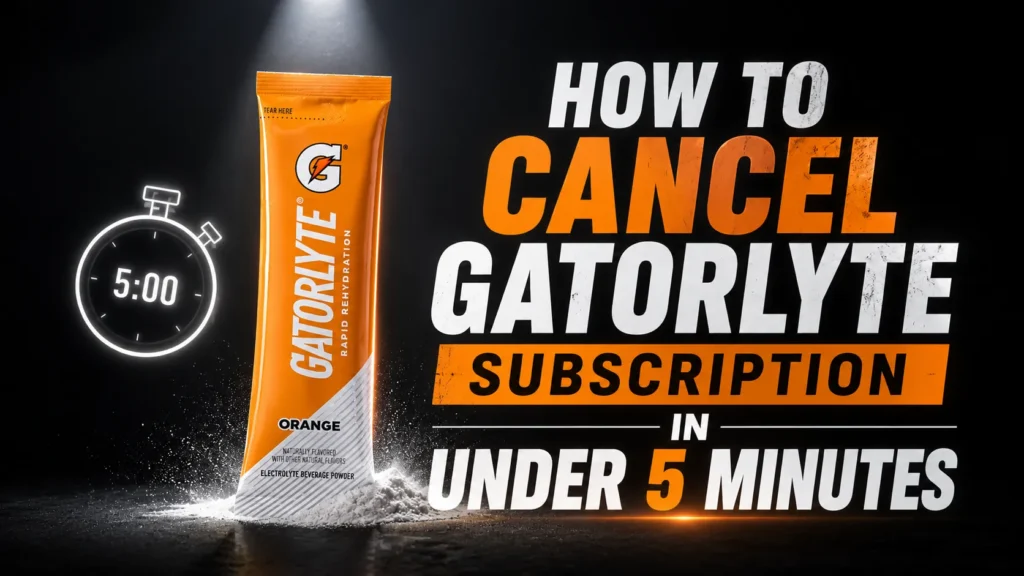
To cancel a Gatorlyte subscription purchased through Gatorade.com, sign in, open your account’s subscription area, select the active subscription, and follow the cancellation prompts. Amazon Subscribe & Save orders must be managed through Amazon instead. Complete the process before the next order is prepared and retain the confirmation email or screenshot for your records.
Table of Contents
So you’re ready to stop your Gatorlyte deliveries. Maybe you stocked up before a marathon that’s long over, or your fridge simply cannot hold one more case of orange electrolyte drink. Whatever the reason, canceling a Gatorlyte subscription is a straightforward process once you know exactly where to click. This guide walks through every scenario: canceling directly on Gatorade.com, handling an Amazon Subscribe and Save plan, what happens to orders already in transit, and who to contact if something doesn’t go as planned.
We’ll also cover related questions people search for constantly, like “can I modify or cancel my Gatorade subscription” and “how do I deactivate Gatorlyte subscription,” so you leave with a complete picture rather than half an answer.
What Is Gatorlyte, and Why Do People Subscribe?
Gatorlyte is a rehydration product developed by the Gatorade Sports Science Institute. According to Gatorade’s official product page, it uses a specialized blend of five electrolytes, sodium, potassium, chloride, magnesium, and calcium, and carries less sugar than a standard sports drink.
Here is what one serving actually contains, based on the Gatorade brand’s published nutrition information:
| Nutrient (per serving) | Sodium | Potassium | Magnesium | Sugar |
| Gatorlyte | 490 mg | 350 mg | 105 mg | 10-12 g |
Because Gatorlyte comes in both ready-to-drink bottles and powder sticks, many shoppers set up a recurring subscription through Gatorade.com or Amazon’s Subscribe and Save program to avoid running out mid-training season. If you’re comparing hydration formulas more broadly, our guide on electrolyte drinks for runners breaks down which products fit different training loads.
How to Cancel Gatorlyte Subscription on Gatorade.com

This is the most common path, since most Gatorlyte subscriptions start on the official site. Follow these steps:
- Go to Gatorade.com and click the account icon in the top right corner.
- Log in with the email and password tied to your subscription.
- Select “Subscriptions” from your account dashboard.
- Find the Gatorlyte subscription you want to end.
- Click “Cancel Subscription” and confirm when prompted.
Gatorade’s own FAQ page confirms this exact workflow: “Once you’re logged in, you will be able to view your subscription, edit your Gatorade subscription shipping address, subscription payment method and cancel a Gatorade subscription directly from your Account > Subscriptions.” No phone call, no waiting on hold, and no hidden retention screen designed to talk you out of it.
One detail worth knowing: Gatorade requires an account to manage a subscription in the first place. This is a deliberate design choice so that shipping address, payment method, and cancellation all live in one place. If you skipped account creation and checked out as a guest, your recurring order may not exist as a true subscription, which we cover in the FAQ section below.
How to Cancel Gatorlyte Online Through Amazon Subscribe and Save
A large share of Gatorlyte subscribers actually set up recurring delivery through Amazon rather than Gatorade.com directly. Amazon’s own product listings for Gatorlyte powder and bottles state plainly: “No fees. Skip or cancel anytime.”
To cancel a Gatorlyte Subscribe and Save order on Amazon:
- Open the Amazon app or website and go to Your Orders.
- Select “Manage Subscriptions” or “Subscribe & Save Items.”
- Locate the Gatorlyte product in your active subscriptions list.
- Choose “Cancel this delivery” or “End subscription.”
- Confirm the cancellation on the final screen.
Amazon subscriptions and Gatorade.com subscriptions are managed on completely separate systems. Canceling one does not touch the other, so double-check which platform you originally used before assuming the job is done. If you’re also managing subscriptions for other hydration brands, our breakdown of how to cancel a Liquid IV subscription uses a similar step-by-step approach that may look familiar.
Cancellation Channels at a Glance
| Method | Where to Go | Best For |
| Gatorade.com account | Account > Subscriptions after logging in | Anyone who ordered Gatorlyte directly from Gatorade.com |
| Amazon Subscribe & Save | Amazon > Your Orders > Subscribe & Save | Shoppers who set up recurring Gatorlyte delivery through Amazon |
| Contact PepsiCo/Gatorade support | contact.pepsico.com/gatorade | Account access issues or unresolved billing questions |
| Retailer subscription (Walmart, etc.) | Retailer’s own account dashboard | Gatorlyte ordered through a third-party retailer program |
Can I Modify or Cancel My Gatorade Subscription Instead of Ending It Completely?

Yes, and this is worth considering before you cancel outright. Gatorade’s FAQ explains that logged-in users can edit shipping address, update payment method, or adjust an existing subscription without starting over. This matters if your only complaint is delivery timing or an outdated card on file, not the product itself.
Modification options generally include:
- Changing the delivery frequency (where offered)
- Updating your shipping address
- Switching the payment method on file
- Adding a new subscription for a different flavor or format
According to Gatorade’s own guidance, “You can cancel and create a new subscription with as many products as you would like at any time.” In other words, canceling one Gatorlyte plan and starting a smaller or differently timed one is completely normal and does not create any penalty.
What Happens After You Cancel a Gatorlyte Subscription?
Understanding the aftermath helps you avoid surprises on your bank statement. Here’s the realistic timeline:
- Future scheduled shipments stop; no additional charges should process after cancellation.
- Orders already processed or shipped before you canceled will still arrive, since Gatorade states that all Gatorade.com sales are final.
- Your account itself stays active, so you can start a new subscription later without re-registering.
- A confirmation email typically follows a successful cancellation; keep it for your records.
If a charge appears after you’re confident you canceled correctly, don’t panic and don’t assume the worst. Compare the charge date against your cancellation timestamp first, since orders placed the same day as a cancellation request sometimes slip through before the change takes effect. For a broader look at how rehydration subscriptions typically bill customers, the DripDrop subscription cancellation guide outlines a comparable billing cycle structure used across the electrolyte drink category.
Gatorlyte Customer Service: When and How to Contact Support
Self-service cancellation works for the vast majority of users, but a few situations call for reaching an actual support agent:
- You can’t log into your account and password reset isn’t working
- A subscription is still charging you after you canceled it
- You checked out as a guest and can’t find a subscription to manage
- You received a damaged, incorrect, or missing item from a subscription order
Gatorade directs customers to its official contact page for these cases. Submit a request through the Gatorade contact form, and reference your order number or account email so support can locate your subscription quickly. Gatorade’s published policy also notes that order issues or shortages need to be reported within 45 days of delivery to qualify for support.
It’s worth noting: Gatorade’s FAQ page states plainly that “all sales on Gatorade.com are final,” and that orders cannot be canceled or changed once placed. This applies to individual orders, not the subscription itself, so don’t expect a refund on a shipment that already left the warehouse.
Common Mistakes That Delay a Gatorlyte Cancellation

A few avoidable errors account for most of the frustration people report when canceling subscriptions like this one:
- Logging into the wrong platform, such as trying to cancel an Amazon order through Gatorade.com.
- Assuming a guest checkout created a manageable subscription when it didn’t.
- Canceling too close to the billing date, after the next shipment has already been queued.
- Forgetting that Gatorade.com and Amazon subscriptions are independent and both need separate action.
- Not checking for a confirmation email, then assuming the cancellation silently failed.
If you’re managing multiple hydration brand subscriptions at once, a quick reference like our comparison of Ultima vs LMNT electrolyte powders can help you decide which products are actually worth keeping on autoship before you start canceling everything at once.
Pros and Cons of Subscribing to Gatorlyte
| Advantages | Drawbacks |
|---|---|
| Cancel or skip anytime with no stated cancellation fee, per Amazon and Gatorade’s own terms | Placed orders are final; you cannot cancel a shipment that has already processed |
| Automatic delivery removes the risk of running out during training season | Gatorade.com and Amazon subscriptions are managed separately with no unified dashboard |
| Subscriptions can be edited (address, payment, frequency) without full cancellation | An account is required to manage a Gatorade.com subscription, which adds a small setup step |
Frequently Asked Questions
Can I modify or cancel my Gatorade subscription without calling customer service?
Yes. Gatorade’s own FAQ page confirms that once you log into your Gatorade.com account, you can view, edit, or cancel a subscription directly from Account > Subscriptions, with no phone call required.
How do I deactivate a Gatorlyte subscription if I checked out as a guest?
Guest checkouts on Gatorade.com do not create a subscription account by default, since Gatorade requires an account to manage recurring orders. If you believe you have an active subscription tied to an email address, contact Gatorade support so an agent can locate and cancel it.
Will I be charged again if I cancel Gatorlyte mid-cycle?
Canceling stops future shipments and charges going forward. It typically does not refund an order that has already processed, since Gatorade.com sales are final once placed.
Can I pause instead of fully canceling my Gatorlyte subscription?
Gatorade’s subscription tools focus on editing, skipping, or canceling rather than a dedicated ‘pause’ button, though Amazon’s Subscribe & Save program does let you skip an individual delivery without canceling the whole plan.
How can I cancel my Gator subscription if I forgot my account password?
Use the ‘forgot password’ link on the Gatorade.com login page to reset access, then head to Account > Subscriptions once you are back in.
Does canceling Gatorlyte also cancel other Gatorade subscriptions?
No. Gatorade’s FAQ notes that you can create and cancel subscriptions for as many individual products as you like, so canceling Gatorlyte will not automatically affect a separate G2 or Gatorade Zero subscription.
What is Gatorlyte customer service’s response time for cancellation issues?
Gatorade does not publish a guaranteed response time on its FAQ page, so if self-service cancellation fails, submit a request through the official contact form and allow a few business days for a reply.
Can I cancel my Gatorlyte order after it has already shipped?
Canceling a subscription prevents future orders, but Gatorade states that placed orders cannot be canceled or changed once submitted, since all Gatorade.com sales are final.
Is there a cancellation fee for ending a Gatorlyte subscription?
Gatorade’s published subscription terms do not mention a cancellation fee, and Amazon’s Subscribe & Save program explicitly allows shoppers to skip or cancel at any time at no cost.
How do I know my Gatorlyte subscription cancellation actually went through?
After canceling, check your Account > Subscriptions page for a status change, and watch for a confirmation email; if neither appears, contact Gatorade support to confirm the cancellation before your next billing date.
Final Takeaway
Canceling a Gatorlyte subscription is genuinely simple once you know which platform your order lives on. If you bought directly from the brand, log into Gatorade.com and cancel from Account > Subscriptions. If Amazon handled your recurring delivery, use Subscribe and Save inside Your Orders. Both paths take just a few minutes, involve no cancellation fee based on published brand and retailer terms, and don’t require speaking to anyone on the phone.
If you ever plan to return to Gatorlyte, or want to compare it against other rehydration options first, our guide to the best electrolyte drinks when you’re sick is a useful next stop for figuring out what actually fits your hydration needs going forward.
This article contains affiliate links. If you purchase through our links, we may earn a commission at no extra cost to you. We only recommend products we genuinely believe in. Read our Affiliate Disclaimer for full details.