
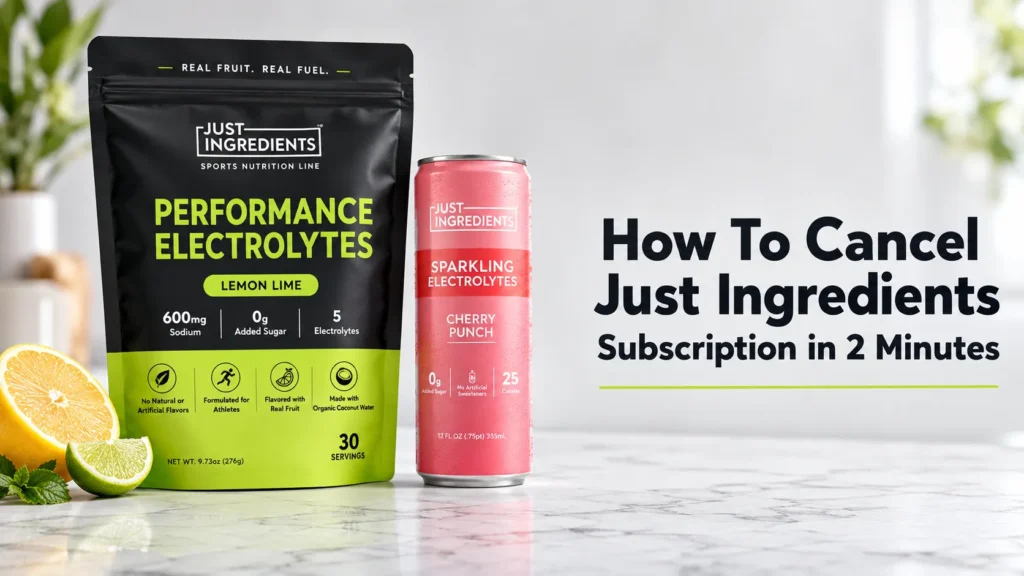
To cancel a Just Ingredients subscription, sign in to the brand’s subscription portal, select the plan you want to end, open its management options, and confirm the cancellation. Depending on the current portal, you may also be able to skip an order, pause deliveries, or change the schedule. Save the confirmation and verify that the next shipment is no longer scheduled.
| Step | Action |
| 1 | Log in to your account at justingredients.com/a/account/login. |
| 2 | Select the subscription you want to cancel. |
| 3 | Click the “More” button in the top-right corner. |
| 4 | Click “Done” to complete the cancellation. |
Trying to figure out how to cancel Just Ingredients subscription? Good news: it is one of the more straightforward supplement subscription cancellations out there. The brand uses a self-service subscription management system called Skio, and every function – including cancellation – happens directly online without needing to call anyone or send an email.
Table of Contents
The process to cancel Just Ingredients subscription online takes four steps and typically under two minutes. No wait times, no retention scripts, no customer service runaround. Log in, find your subscription, click More, click Done. That is it.
That said, a lot of people searching for how to cancel Just Ingredients subscription online are actually looking for something slightly different – skip, pause, or swap – and cancellation is more than they need. This guide covers both: the full cancellation process and every alternative option available inside the Just Ingredients subscription portal so you can make the right call for your situation.
Before You Cancel: Consider These Alternatives
Just Ingredients’ subscription portal offers five different management options besides full cancellation. Knowing they exist is worth a moment before clicking Done.
Skip Your Next Delivery
If you have too much product stacked up but plan to re-order eventually, skipping is smarter than canceling. You keep your subscription active and skip just the next delivery. The subscription then resumes automatically on your regular schedule. Log in, select the subscription, and click the Skip button in the top right corner.
Pause Your Subscription
Pausing stops deliveries temporarily without canceling your account entirely. This preserves any subscriber benefits or promotional pricing you locked in. To pause: log in, select your subscription, click More in the top right, then click Pause. You can unpause anytime from the same portal.
Adjust Your Delivery Frequency
If you are receiving orders faster than you use them, stretching the delivery interval is a practical fix. The Just Ingredients subscription portal lets you change frequency from the More menu. You might be on a 30-day cycle when a 45 or 60-day cycle suits your usage better.
Swap Products
If the issue is a specific product rather than the subscription itself, you can swap products without restarting a new subscription. Go into your subscription, click Swap next to the item you want to change, search for a replacement, and confirm. Your billing date and any active discounts stay in place.
How To Cancel Just Ingredients Subscription Online: Step-by-Step

These steps are sourced directly from Just Ingredients’ official Subscription Portal Education page at justingredients.com/pages/subscription-portal-education. This is not a third-party workaround – it is exactly how the brand instructs customers to cancel.
Step 1: Log in to Your Subscription Portal
Go to justingredients.com/a/account/login and sign in with the email address linked to your subscription. If you have forgotten your password, use the Reset Password option on the login page. Check your inbox – the reset email typically arrives within 2-3 minutes. Make sure you check the same email you used when you originally created your account.
Step 2: Select the Subscription You Want to Cancel
Once inside your account, you will see a list of your active subscriptions. Each product line you are subscribed to appears as a separate entry. Click on the specific subscription you want to cancel. If you have multiple active subscriptions (for example, both an electrolyte subscription and a protein subscription), you cancel each one individually.
Step 3: Click the ‘More’ Button in the Top Right Corner
Inside the subscription management view, look for the ‘More’ button located in the top right corner of the subscription panel. This button opens a dropdown menu containing all management actions including Skip, Pause, and Cancel. This button is where both the Pause and Cancel options live – so if you intended to pause rather than cancel, this is the same menu.
Step 4: Click ‘Done’ to Confirm Cancellation
Inside the More dropdown, click Cancel. Just Ingredients will likely show you a brief retention prompt – possibly offering a skip or discount as an alternative. If you want to proceed with full cancellation, decline the offer and click Done to confirm. Your subscription will stop renewing from this point. Check your email for a confirmation of the cancellation.
That is the complete process to cancel Just Ingredients subscription online. Four steps, no phone call required, no email to customer service needed. Just Ingredients explicitly states on their portal: “You can cancel your subscription at any time from your account dashboard. No calls, no emails required.”
For reference, the official process is documented on the Just Ingredients Subscription Portal Education page, which includes animated walkthroughs for every management function.
How To Cancel Just Ingredients Subscription by Email
Just Ingredients’ own documentation states that no email is required to cancel – the portal handles everything. However, some customers prefer a paper trail or encounter technical issues with their account login.
If you want to cancel by emailing, you can reach their support team through the contact form at justingredients.com/pages/contact. Include your full name, the email address on the account, your order number if available, and a clear statement that you want to cancel your subscription immediately.
How to cancel Just Ingredients subscription by email typically results in a response within one to two business days during normal hours. For time-sensitive situations – like a billing date approaching in the next 48 hours – the online portal is faster and more reliable than waiting for an email response.
One important clarification: if your request involves a refund on a recent charge alongside cancellation, always include the order number in your email. Their support team can cross-reference your account and process both actions simultaneously rather than requiring a separate follow-up.
Troubleshooting: What to Do If Cancellation Is Not Working

Cannot Find the ‘More’ Button
The More button appears inside the individual subscription view – not on the main subscription list page. Make sure you have clicked into a specific subscription first. If you are on the subscriptions overview and not inside an individual subscription, the More button will not be visible.
The Login Link Is Not Working
Just Ingredients’ subscription portal uses a passwordless login – they send a magic link to your email rather than requiring a stored password in some cases. Check your spam folder if the login email does not arrive in your inbox within 5 minutes. If you still cannot access the account, contact support to have them manually cancel the subscription on your behalf.
Charged After Canceling
Subscription billing typically locks in 2-3 days before the renewal date. If a charge processed immediately before you canceled – meaning the order was already in preparation – canceling stops future renewals but may not reverse the current charge. Contact support within 24 hours of the charge with your order number and request a review of that specific order. Whether a refund is issued depends on whether the order has already shipped.
Important Timing Note:
Subscriptions lock in for the upcoming cycle 2-3 days before the renewal date. If your next billing date is in the next 48 hours, cancel now. Do not wait. If a charge has already processed and you want a refund on that order, contact support immediately at justingredients.com/pages/contact – your best window for stopping a pending shipment is within 24 hours of the charge.
Receiving Orders After Cancellation
If you continue to receive orders after you believe you canceled, check whether you canceled all active subscriptions. Each product type is a separate subscription entry. Canceling your protein subscription does not cancel your electrolyte subscription, and vice versa. Log back into the Just Ingredients subscription portal and confirm every subscription line shows a canceled or inactive status.
What Is Just Ingredients? A Quick Overview

Just Ingredients is a Utah-based supplement and wellness brand founded by Karalynne Call, a certified holistic nutritionist. The brand differentiates itself primarily on ingredient quality – most products are NSF certified, gluten-free, dairy-free, and formulated without artificial sweeteners, artificial flavors, or artificial colors. Their product line includes protein powders, electrolytes, pre-workout, collagen, supplements, and energy drinks.
Just Ingredients has built a significant social media following – particularly on Instagram and Facebook among health-conscious women – based on the brand’s commitment to transparent labeling. Their electrolyte line competes directly with products like LMNT, Ultima Replenisher, and Liquid IV.
If you are canceling Just Ingredients and considering a different electrolyte brand, our comparison of LMNT vs Liquid IV covers two of the most popular alternatives in detail – including sodium content, ingredients, and price per serving.
The subscription model Just Ingredients uses – managed through Skio – is one of the more customer-friendly implementations in the supplement space. The ability to skip, pause, swap, and cancel entirely from the portal without customer service involvement reflects a transparency-first philosophy that aligns with the brand’s overall positioning.
Just Ingredients Subscription Products – What You Might Have
Just Ingredients operates multiple subscription categories. Understanding which product category you are subscribed to helps ensure you cancel the right subscription.
- Electrolyte Stick Packs: subscription available through the electrolyte bundle builder; includes flavored powder sticks in daily and workout formats
- Protein Powder: 30-day subscription cycles for all flavors; most popular subscription category on the site
- Pre-Workout and Creatine+: subscription available for all performance line products
- Supplements: individual supplements sold on subscription including collagen, beauty products, and wellness supplements
- Energy Drinks: 12-pack subscription for the Brain Boost energy drink cans
Each of these is a separate subscription entry in your portal. If you subscribe to multiple categories, you will see multiple active subscriptions listed when you log in. Cancel each one individually if you want to stop all recurring orders.
If you subscribed specifically for the electrolyte sticks and are now reconsidering, our breakdown of how Just Ingredients electrolytes compare to other leading brands is covered in our Ultima vs LMNT comparison – which covers the key formulation differences across the electrolyte market.
How to Remove Payment Information After Canceling
Canceling your subscription stops future billing but does not automatically remove your saved payment method from the account. If you want to delete your card details after canceling, follow these steps inside the Just Ingredients subscription portal.
- Log in to your account at justingredients.com/a/account/login
- Scroll to the Billing section of your account
- Click Edit next to your saved payment method
- Select Add new payment method
- Remove the existing card
Just Ingredients’ official subscription portal page confirms this process as the method for updating payment information. Removing the card prevents any accidental future charges if a subscription were to be accidentally reactivated.
Alternatives If You Are Switching Electrolyte Brands
If you are canceling your Just Ingredients electrolyte subscription because the product did not suit your needs, here are the most relevant alternatives depending on what drove the switch.
- High-sodium for athletes and keto dieters: LMNT – 1,000 mg sodium, 200 mg potassium, 60 mg magnesium malate. Zero sugar, NSF Sport Certified, no artificial dyes.
- Budget-friendly six-electrolyte daily use: Ultima Replenisher – from $0.47/serving in canister, zero sugar, six electrolytes including 100 mg magnesium.
- ORS-calibrated for illness and travel: DripDrop ORS – physician-developed, no artificial dyes, NSF certified, 330 mg sodium with ORS absorption mechanism.
How To Cancel Just Ingredients Subscription FAQ
Can I cancel my Just Ingredients subscription without calling customer service?
Yes. Just Ingredients explicitly states on their portal: ‘No calls, no emails required.’ The entire cancellation process happens online through the subscription portal at justingredients.com/a/account/login in four steps.
How do I access the Just Ingredients subscription portal?
Log in at justingredients.com/a/account/login using the email address on your account. The portal displays all active subscriptions. From there you can skip, pause, adjust frequency, swap products, or cancel entirely.
Does canceling Just Ingredients delete my account?
No. Canceling your subscription stops future billing but leaves your account intact. Your order history, saved addresses, and rewards credits remain. You can resubscribe anytime by adding a product to your cart and selecting the subscribe option at checkout.
How do I cancel just one product from my Just Ingredients subscription?
Each product is a separate subscription entry. Log in, find the specific product subscription you want to cancel, click More, then Done. Other subscriptions remain active and unaffected.
What is the Just Ingredients refund policy?
Just Ingredients’ current general policies are available at justingredients.com/pages/general-policies. For billing disputes or accidental charges, contact support at justingredients.com/pages/contact within 24 hours of the charge for the best chance of resolution before shipment.
Can I pause my Just Ingredients subscription instead of canceling?
Yes. The Pause option lives under the More button in your subscription portal. Pausing stops deliveries temporarily without ending the subscription. It preserves your subscription benefits and any locked-in promotional pricing.
How long does it take for a Just Ingredients subscription cancellation to process?
Cancellation through the portal is immediate – your subscription stops renewing the moment you confirm. No processing delay. Check your email for a confirmation. If a charge was already scheduled within 24-48 hours, it may still process for that final cycle.
Can I skip a delivery instead of canceling?
Yes. The Skip option appears as a button in the top right corner of your subscription view. It skips your next delivery only and the subscription continues normally afterward. Useful when you have too much product on hand but plan to continue subscribing.
What happens to my rewards credits if I cancel?
Canceling your subscription does not automatically forfeit earned rewards credits. Your credits stay in your account. Check the rewards section at justingredients.com/pages/rewards to confirm your current balance after canceling.
Is Just Ingredients NSF certified?
Many Just Ingredients sports performance products are NSF certified, which verifies the product contains what the label claims. Check individual product pages at justingredients.com for NSF certification status on specific items, as certification varies by product line.
This article contains affiliate links. If you purchase through our links, we may earn a commission at no extra cost to you. We only recommend products we genuinely believe in. Read our Affiliate Disclaimer for full details.